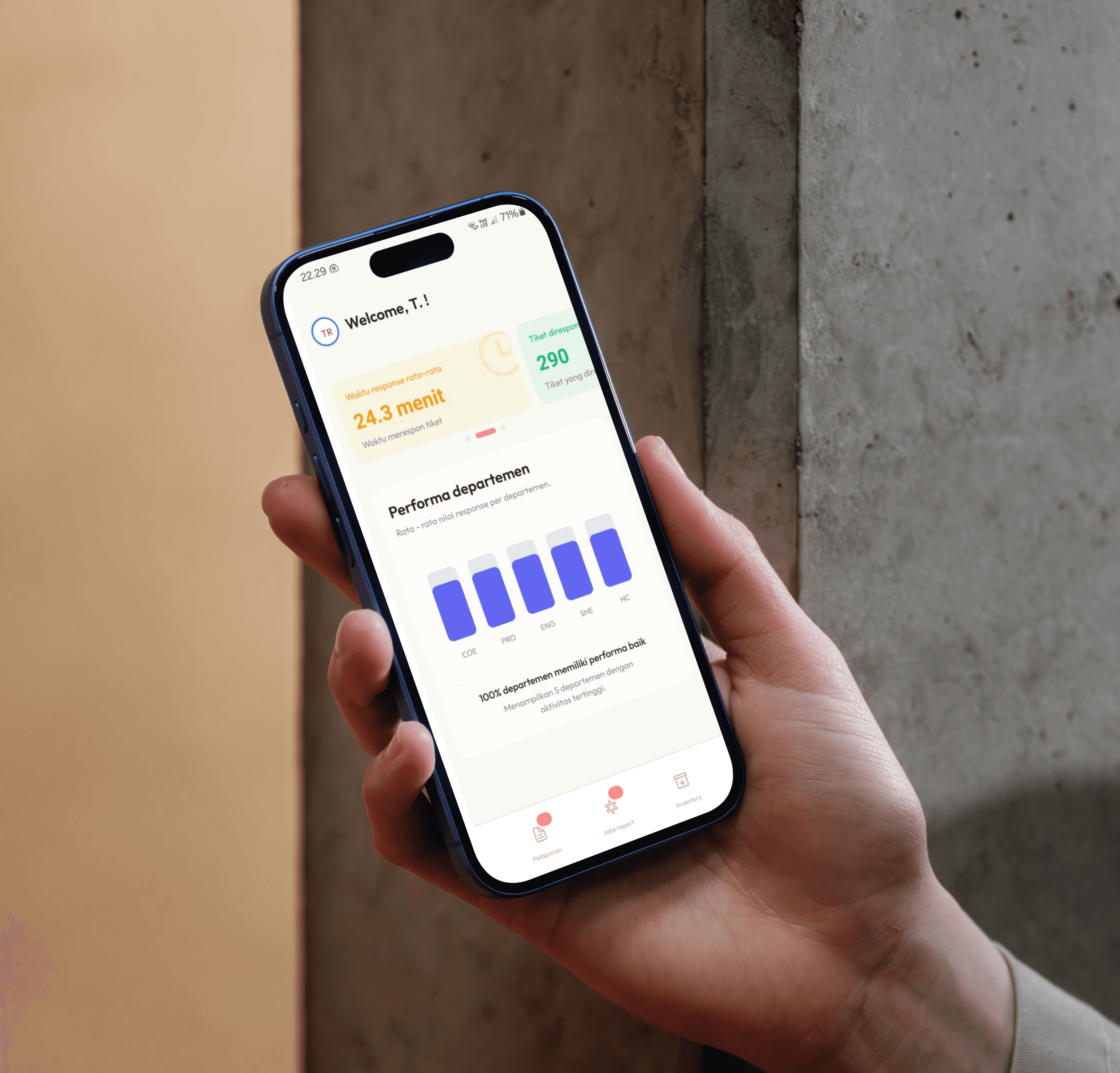
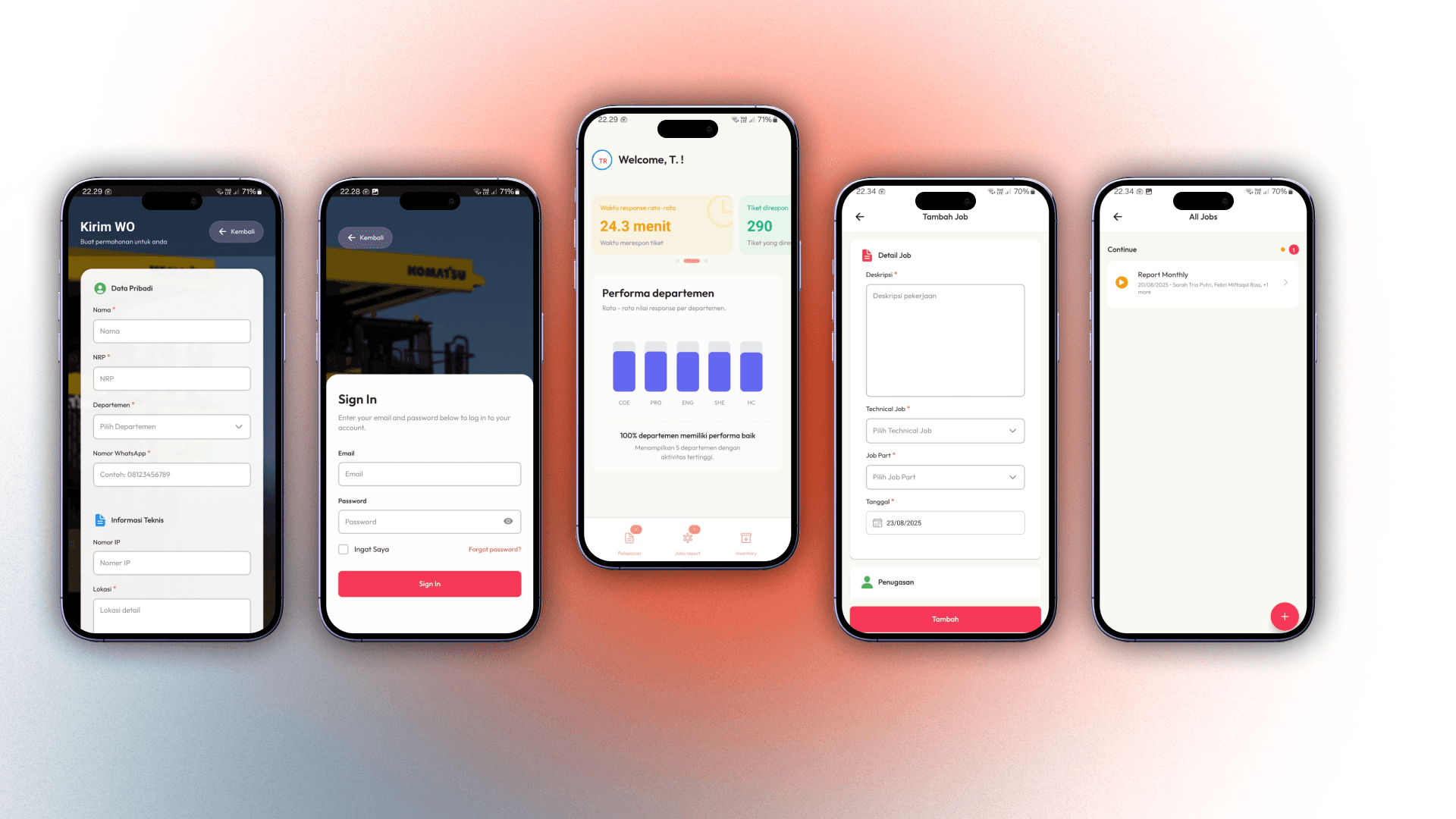
Sinta Mobile is a companion app for the SINTA management system, specifically designed to transform the workflows of mobile users and operational teams on the ground. By leveraging native mobile features like push notifications, the app focuses on eliminating communication latency, promoting user autonomy, and providing instant data access, making operational processes faster, more proactive, and more efficient.
The Context & The Problem
Although the web-based SINTA platform successfully centralized data, its efficiency diminished when users were away from their computers. Three main problems were identified:
Inefficient Reporting Access & Information Distribution: The reporting process had two major bottlenecks. First, non-technical employees had to access the SINTA website via a PC, creating friction during data input. Second, once a report was submitted, its distribution was a manual process: an admin had to take a screenshot and share it in a communication group. This created a high dependency on the admin's availability and caused response delays.
Communication & Response Latency: While task assignments were already digital on the web, field technicians were not immediately aware of new tasks. They had to actively open the website to check for updates, which caused a significant time lag (latency) between when a task was assigned and when it was started.
Centralized and Slow Access to Inventory Information: Previously, inventory information was siloed with the admin or had to be accessed through a web interface not optimized for speed. This created a high dependency on the admin for simple stock queries and disrupted the workflow for anyone both field technicians and office staff who needed inventory information on the spot.
Project Goals
The main objective of Sinta Mobile was to optimize the existing workflows by:
Automating the distribution of report information to ensure a swift and simultaneous team response.
Eliminating communication latency by shifting the task assignment system from reactive (waiting to be checked) to proactive (sent via notifications).
Empowering all users with self-service inventory access to reduce dependency on the admin.
The Solution & Key Features
Sinta Mobile addresses these issues by delivering key features optimized for a mobile-first experience:
Instant Reporting & Automated Team Notifications: The mobile reporting feature not only simplifies the input process but also automates information distribution. Every new report instantly triggers a broadcast push notification to all ICT team members. This eliminates the manual middleman (e.g., an admin sending screenshots) and ensures all relevant personnel get the information simultaneously, cutting down the time to action.
Proactive Task Management with Targeted Notifications: When a supervisor assigns a job, the app does more than just log it in the system. Sinta Mobile automatically sends a targeted push notification directly to the assigned technician. This drastically cuts down response time and ensures the technician can act immediately.
Self-Service Inventory Checks for All Users: Sinta Mobile democratizes access to inventory data. With a simple and optimized mobile interface, all authenticated users can now independently check stock availability anytime, anywhere. This empowers users with real-time information and significantly reduces interruptions to the admin's workflow.
Results & Impact
The implementation of Sinta Mobile successfully transformed how the team works and interacts with the system, leading to measurable positive impacts:
Eliminated Bottlenecks & Dependencies: The automated notification and self-service inventory access reduced dependency on the admin, allowing information to flow smoothly even after hours.
Improved Team Responsiveness: The average time from when a report was created or a task was assigned to the first action being taken decreased significantly, thanks to the proactive notification system.
Increased Efficiency & User Autonomy: Employees became more self-sufficient in finding information, while technicians could complete their jobs faster as their workflow was no longer interrupted.
My Learnings
This project provided a deep understanding of the fundamental differences between designing for the web and for mobile. I learned that the mobile user experience is not just about a smaller screen; it's about the context of use users need quick access and task-focused interactions. Furthermore, I saw firsthand how a simple feature like push notifications can dramatically shift a workflow from reactive to proactive, which is a key driver of operational efficiency.
Technologies Used
Frontend: React Native, Expo